Numerous performance measurements for the RTX 5070 have been published online since its release as a mid-range video card. What is more interesting is what modifications from a particular manufacturer are capable of. Each manufacturer has several series of NVIDIA GeForce cards; in particular, GIGABYTE has as many as five. What is AORUS MASTER? You will know this in this AORUS GeForce RTX 5070 MASTER review.
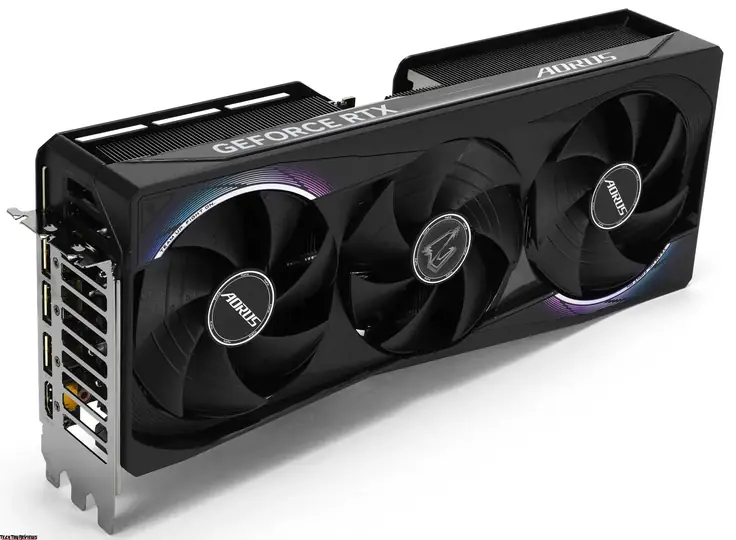
GIGABYTE’s RTX 5070 lineup, as previously mentioned, consists of five distinct models:
- WINDFORCE SFF: The most compact option, features no backlighting.
- AERO: A white, mid-sized model with minimal lighting effects.
- EAGLE: Available in both black and white, this mid-sized version also includes minimal backlighting.
- GAMING: A larger variant with more prominent lighting.
- AORUS MASTER: The largest and most elaborate model, boasting exclusive backlighting and a unique casing design.
Also see: MSI Vector 16 HX AI Review: Breaks RTX 5070Ti Limits
Gigabyte AORUS GeForce RTX 5070 MASTER Review
Unboxing
The box in which this modification of the RTX 5070 is supplied is quite large. Inside, there is another one, and a tray that protects the desktop graphics card from external influences. In its additional compartments, there is a delivery set.
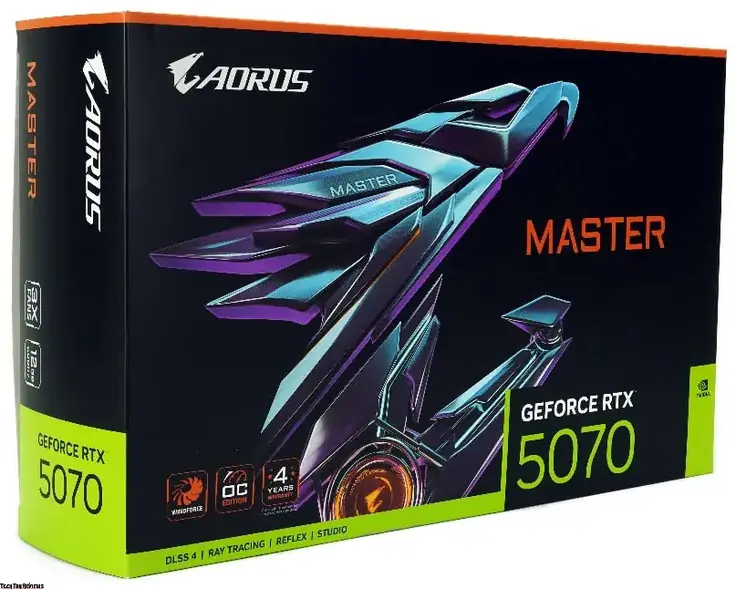
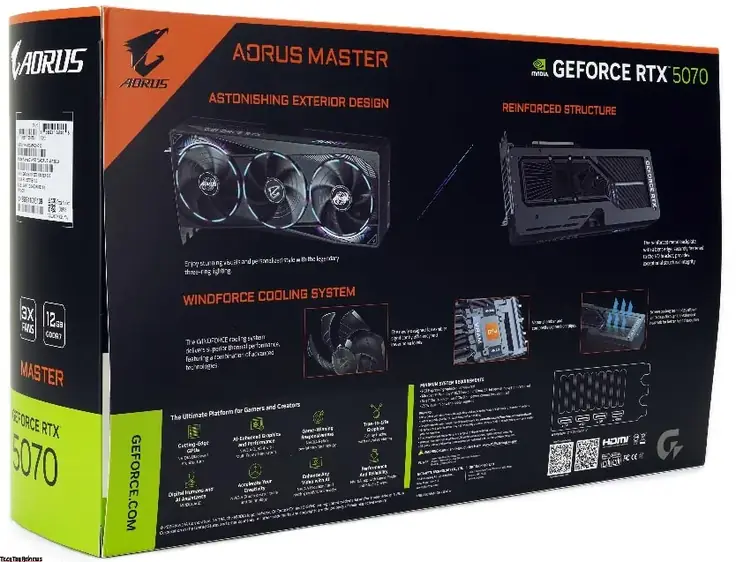
The design of the box is typical for the AORUS series, featuring a branded image on the front and various information on the back. In this case, the manufacturer notes the design of the 12 GB VRAM graphics card and the design of the cooling system, which utilizes an evaporation chamber and its own branded fans with an updated design.
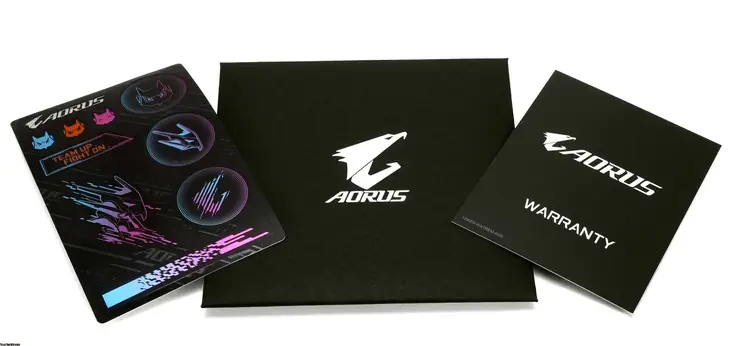
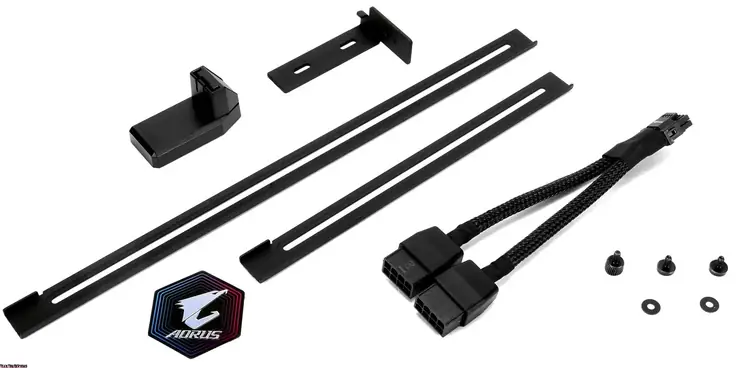
Part of the delivery set is in an envelope, which contains warranty information and a set of stickers, including one metal sticker. The tray comprises: a graphics card support system, a bag of screws for its assembly, and an adapter that will allow the use of classic power supplies (without a “modern” connector).
Gigabyte AORUS GeForce RTX 5070 MASTER Specifications
- Core Clock: 2715 MHz (Reference card : 2512 MHz)
- CUDA Cores: 6144
- Memory Clock: 28 Gbps
- Memory Size: 12 GB
- Memory Type: GDDR7
- Memory Bus: 192 bit
- Card Bus: PCI-E 5.0
- Digital max resolution: 7680×4320
- Multi-view: 4
- PCB Form: ATX
- DirectX: DirectX 12 API
- OpenGL: 4.6
- Recommended PSU: 750W
- Power Connectors: 1x 16 Pin
- Output: 3x DisplayPort 2.1b, 1x HDMI 2.1b
- Dimensions: L=317 W=136 H=64 mm
Also see: Asus TUF Gaming F16 RTX 5050 Review
Design and Connectivity
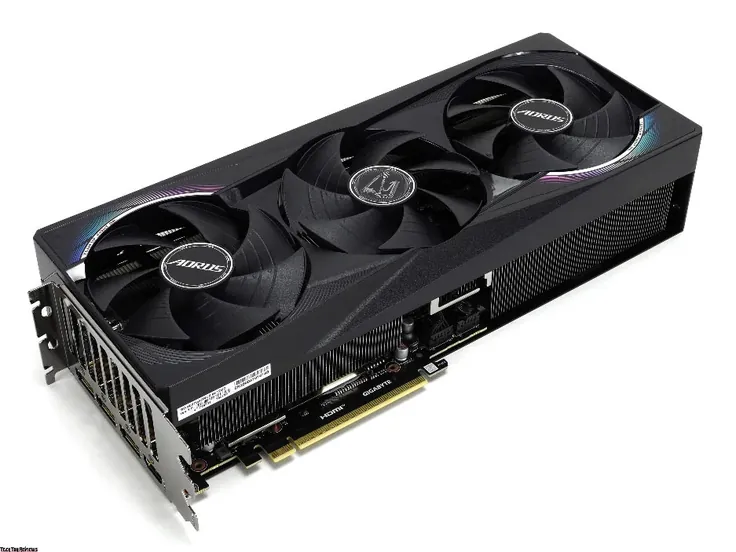
As already mentioned, the AORUS MASTER modification is the most massive among all available models of the manufacturer. And among many competitors, too. The dimensions of the desktop video card are as follows: length, 317 mm; thickness, 64 mm; and width, 136 mm. When examining the GPU, you can immediately see a large radiator, which is covered by a plastic casing. The colored components on it are stickers.
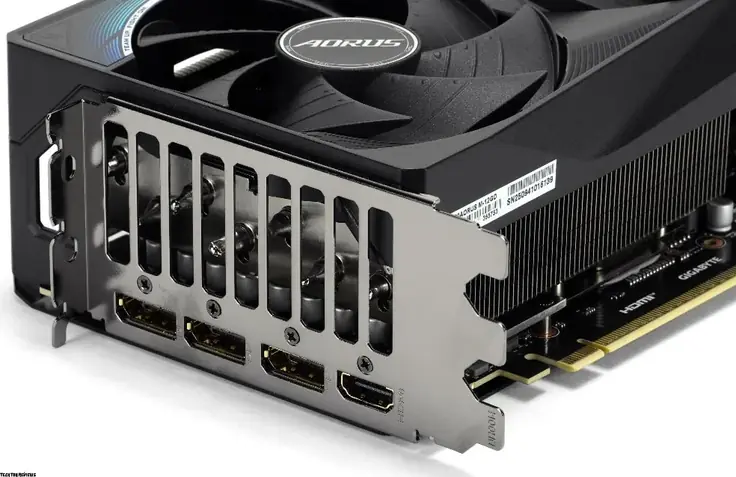
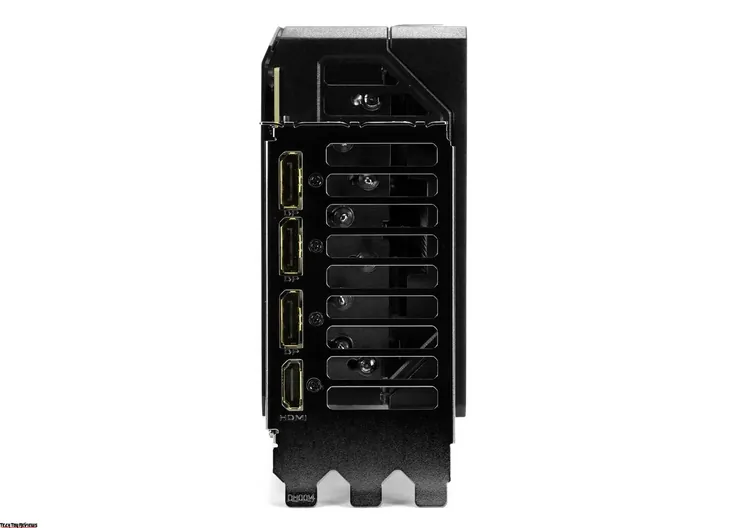
To connect monitors and other image output devices, the manufacturer offers four interfaces – three DisplayPorts and one HDMI. Their standards are the same – 2.1b in all cases. From this panel, you can estimate the thickness of the GPU; it is worth allocating 4 expansion slots for its installation (the card itself is approximately 3.5 expansion slots in length).
Cooling, Power, BIOS, and Lighting
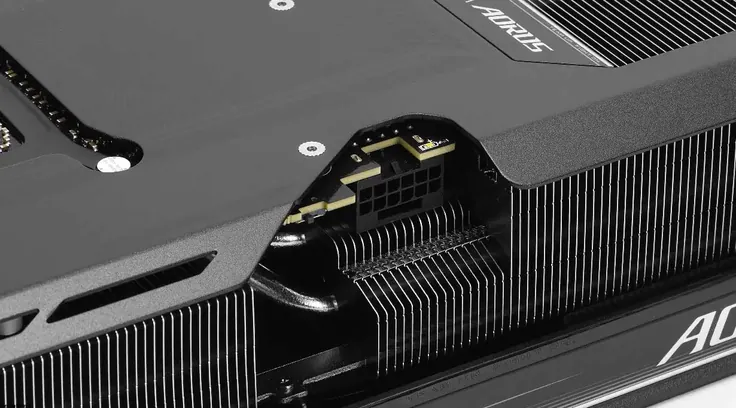
Even considering that the desktop computer graphics card consumes approximately 250 W in standard mode, its cooling system is quite substantial. It is based on an evaporation chamber. The thermal interface for the memory and power subsystem is a new proprietary gel (therefore, it will be almost impossible to assemble the GPU after disassembling it in terms of maintaining the efficiency of heat transfer). I even think it is excessively massive. On the other hand, it is quiet. The radiator and metal plate significantly extend beyond the printed circuit board in width – the manufacturer had to make appropriate cutouts to access the power connector and the BIOS chip switch (GPU, of course).
It is easy to guess that a 12V-2×6 power connector is used, for which there is a corresponding adapter in the delivery set. Next to it is the switch mentioned for selecting the active BIOS of the card – the most productive option or one that emphasizes silence.
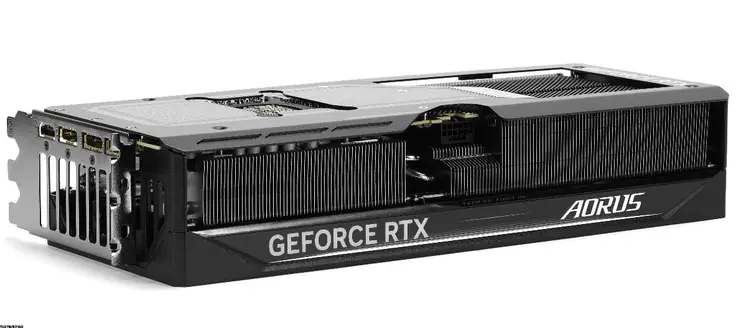
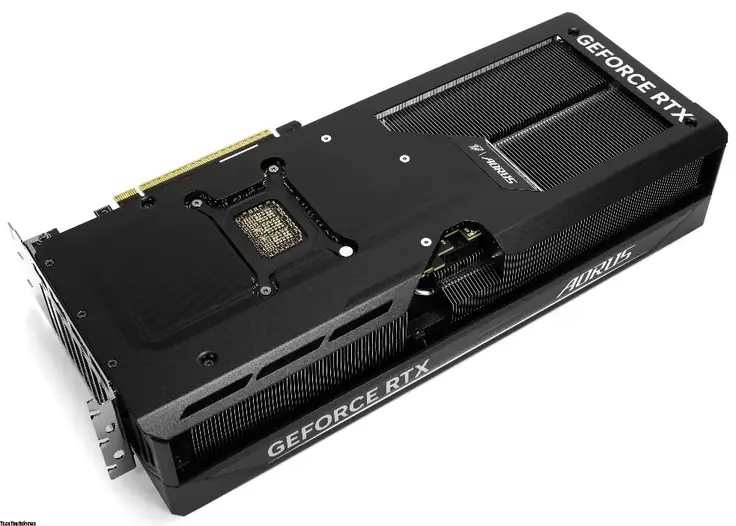
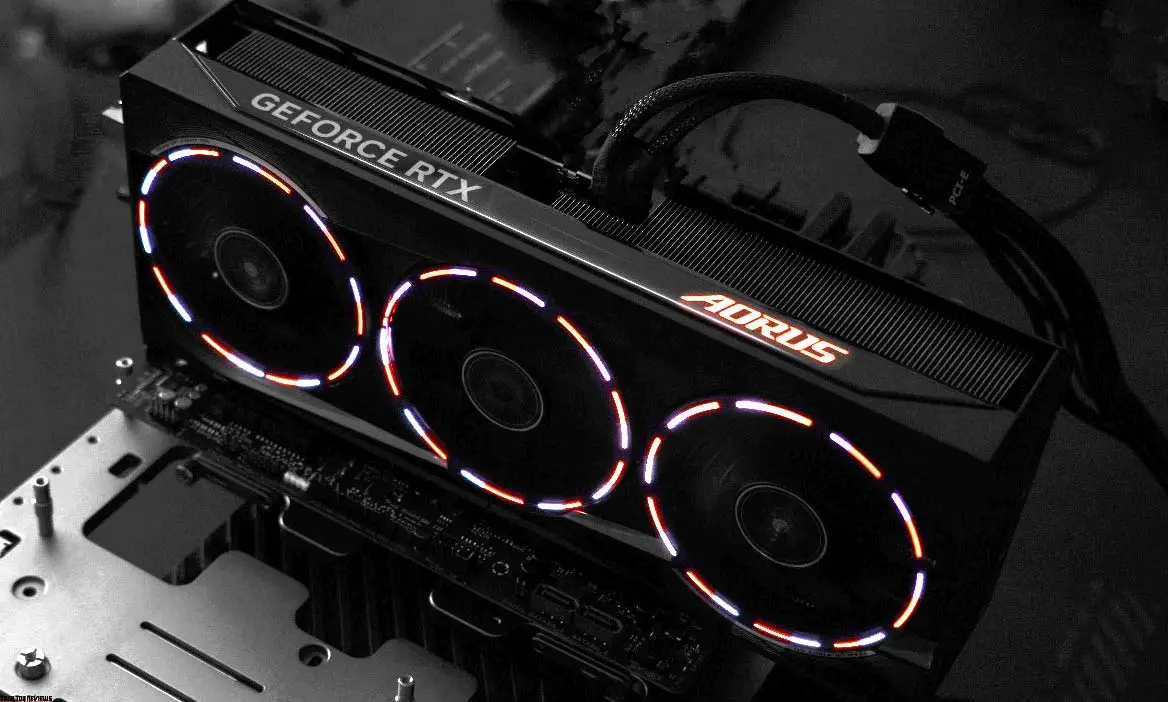
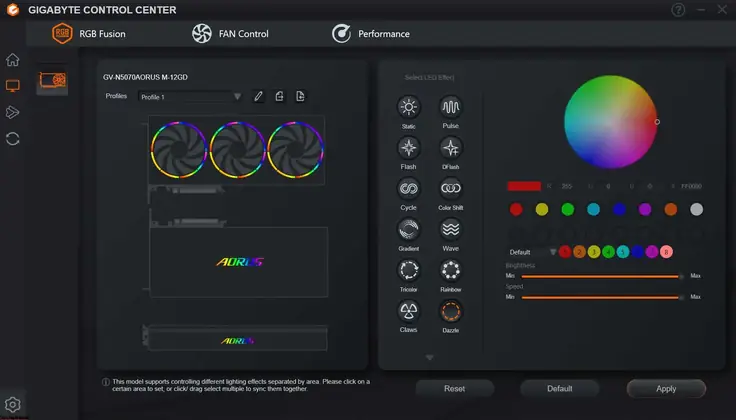
As for the backlighting, it is designed in the corporate style of AORUS MASTER graphics cards – featuring constantly glowing logos on the assembly and “on the back” of the GPU, as well as the backlighting of the fans. All of this is configured through the proprietary Gigabyte Control Center software.
Gigabyte Control Center
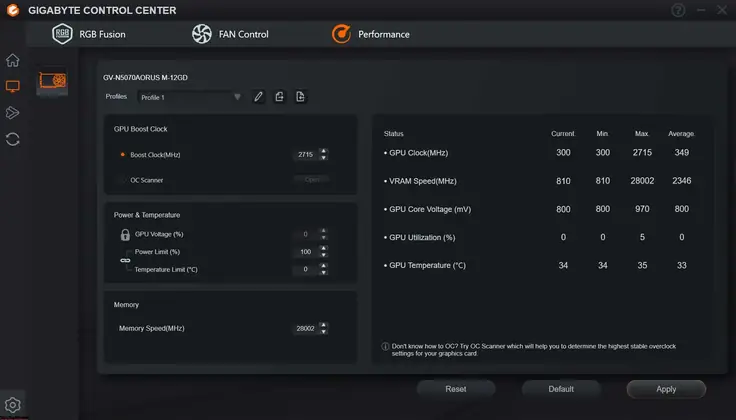
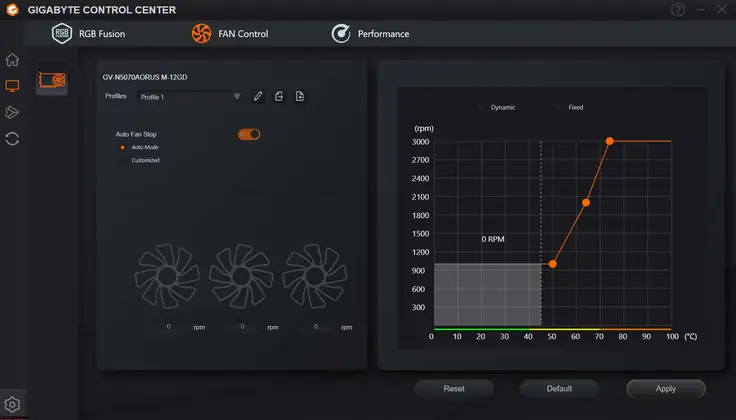
The Gigabyte Control Center interface is divided into three subsections: one for setting up the backlight, another for configuring the cooling system, and a third for optimizing the GPU’s performance, as well as monitoring specific indicators. You can download the software from Gigabyte’s official website.
AORUS GeForce RTX 5070 MASTER review test
In the idle state (desktop and light loads), the AORUS GeForce RTX 5070 MASTER works with the fans completely turned off. The temperature (outside the case, as it will vary significantly in each case) is up to 35°C. The manufacturer can allow the gaming video card to consume up to 20% more power than the base value.
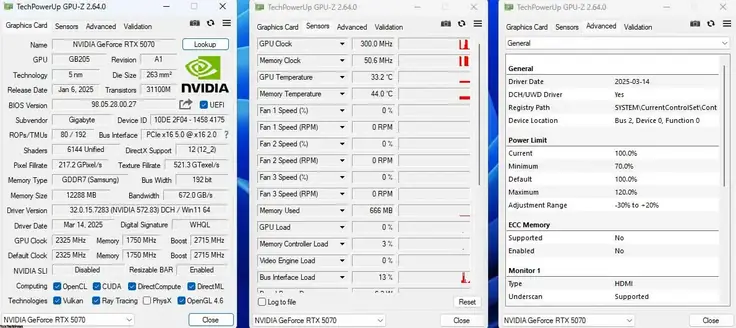
The 3DMark Steel Nomad benchmark shows over 5000 points, during which the GPU frequency exceeds 3 GHz.
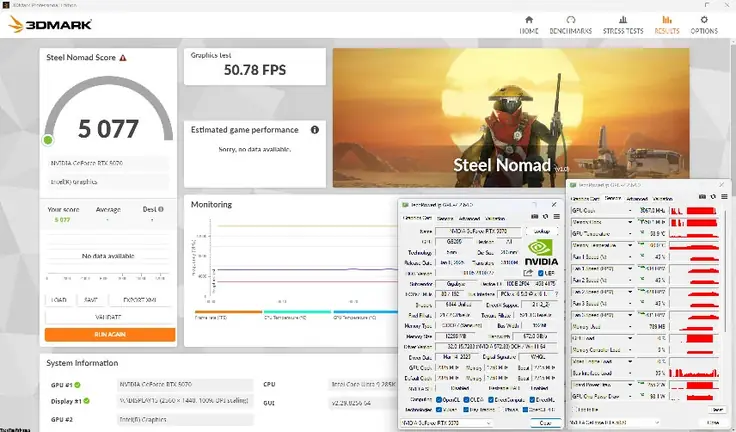
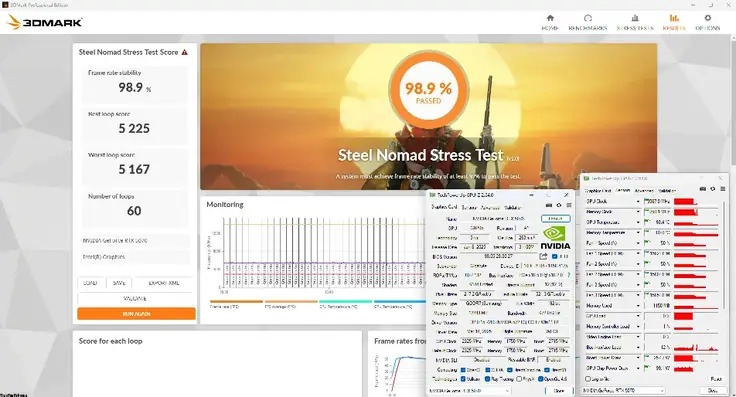
Under an hour-long load in the same benchmark, the results are as follows: stability is almost 99%, the temperature of the GPU and memory is approximately the same – about 60°C, the operating speed of all three fans did not exceed 1600 rpm, which is half of their capabilities.
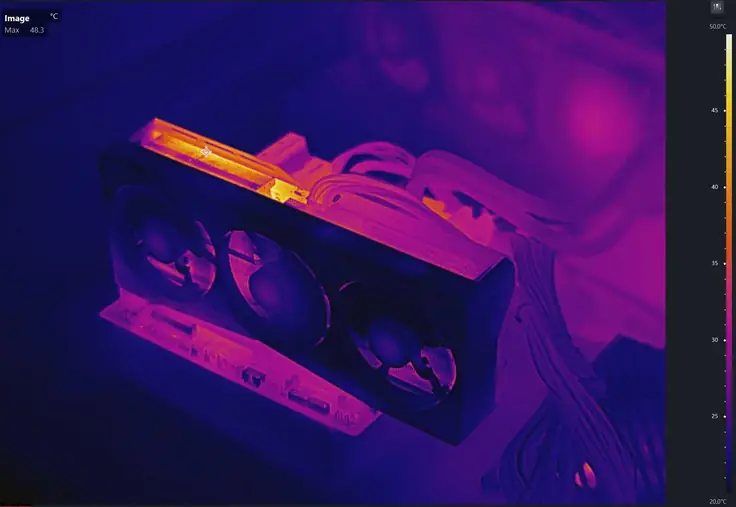
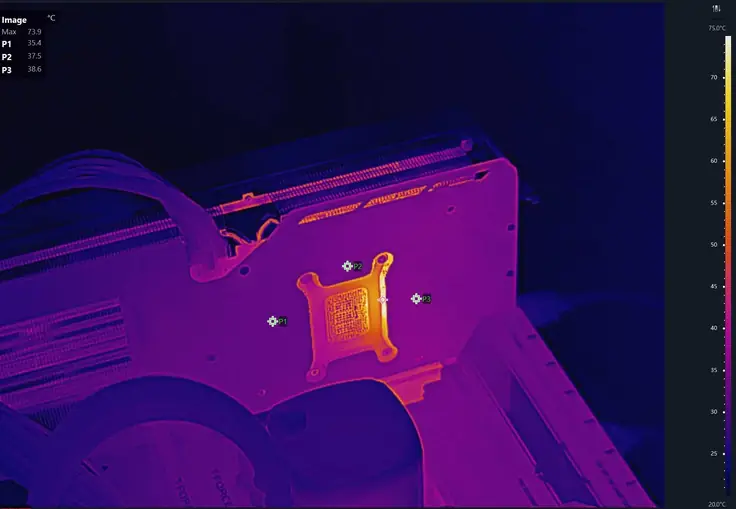
It is not particularly interesting to look at the graphics card using a thermal imager. Temperatures of up to 75°C are recorded in some places, but this is not a problem – these values are far from those that could cause stress.
Final Line
AORUS GeForce RTX 5070 MASTER OC 12G is one of those video cards for gaming that requires a spacious case and vertical installation. That is, one where the user can see their fans, as this is the primary design feature of this model. This is subjective – everyone will decide for themselves.
Regarding the operation of the desktop graphics card, the following applies. If its owner was able to provide a spacious and well-ventilated case, then it will thank him with low temperatures of everything that is on it, as well as a low noise level.
Also see: Asus ROG Strix SCAR 16 RTX 5090 Review
Judging from the price tag, this model may not be a loyal choice for a potential buyer’s wallet, but it will still fall into the mid-range video card category – it is, after all, the flagship among all available RTX 5070 from the manufacturer. It costs $1,027.49 on Amazon.com, $1,149 on Newegg.com, and £775.99 on Amazon.co.uk.
It will also compete with the corresponding solutions offered by competitors. There’s always a more affordable and straightforward option—it’s all about your budget and design preferences.